
Features
Everything Trackwise can do today.
A deeper look at nutrition, scanning, workouts, goals, progress, and account tools — based on the shipping mobile app, not a wishlist.
01
Food & nutrition
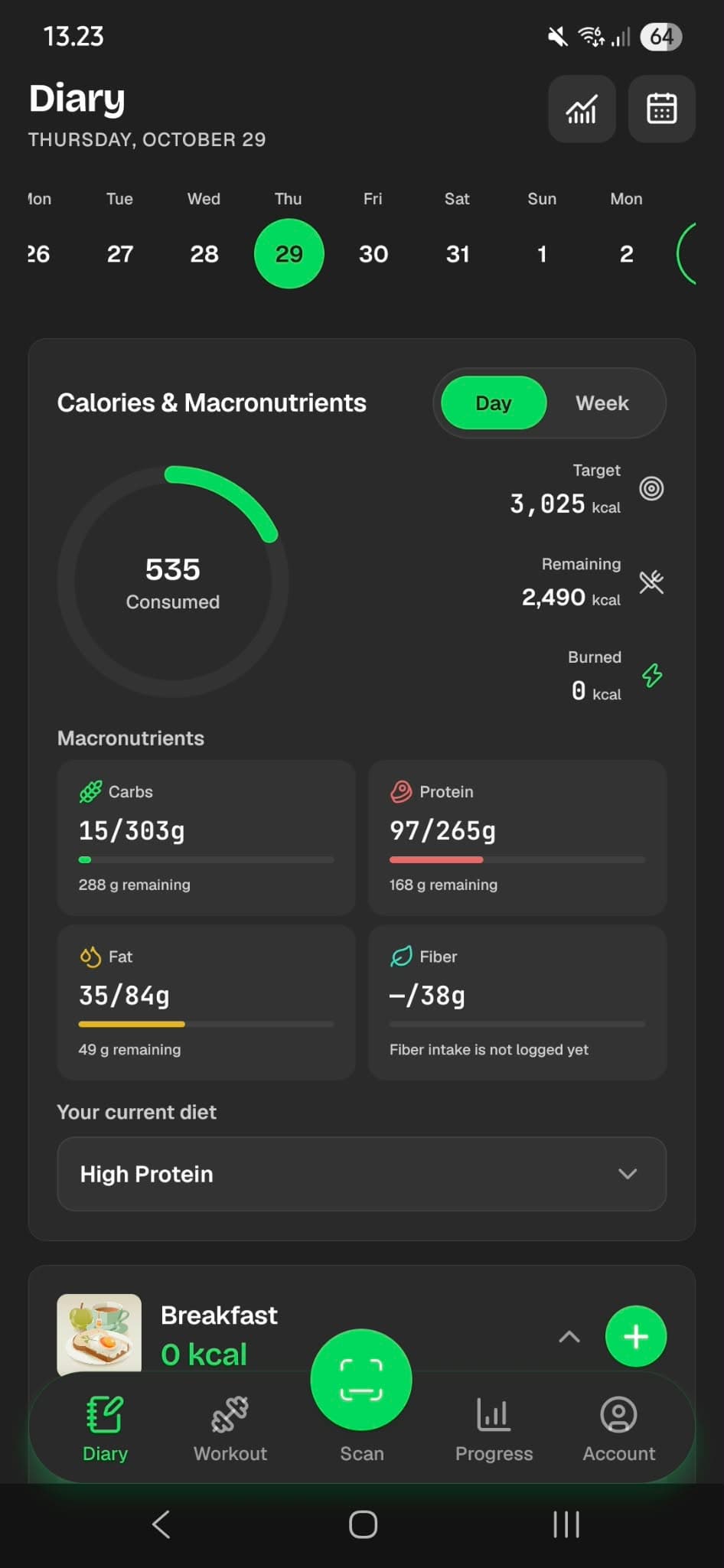
A daily diary built around real meals — search foods, log servings, and see calories and macros against your targets.
Daily food diary
Organize entries by breakfast, lunch, dinner, and snacks with a date strip for any calendar day.
Calories and macros
Track calories, protein, carbohydrates, and fat. Compare day totals to your goal and optional diet presets.
Food search and recent foods
Search the shared catalog and your own foods, or quickly re-log recent items.
Custom food entries
Create foods manually with per-100 g or per-100 ml nutrition, serving size, and an optional photo.
Diary insights
Open day and week statistics, meal breakdowns, and a monthly calorie overview from the diary.
02
Barcode scanning
Scan product barcodes with your camera and confirm servings before they land in your diary.
Camera barcode scan
Supported product barcodes include EAN-13/8, UPC-A/E, and ITF-14 with torch support when lighting is low.
Open Food Facts lookup
Products are looked up via Open Food Facts. Confirm serving, meal, and date before logging.
What scanning is not
Trackwise does not claim AI meal recognition or label OCR. Scanning is barcode-based product lookup.
Scan
Barcode
Oat milk
Open Food Facts · confirm to log
03
Workout tracking
Train with a catalog of exercises, templates, live session logging, and history you can repeat.
Quick start and templates
Start a quick workout or use system and personal templates with optional variations.
Exercise library
Browse categories, favorite exercises, and create custom exercises with optional images.
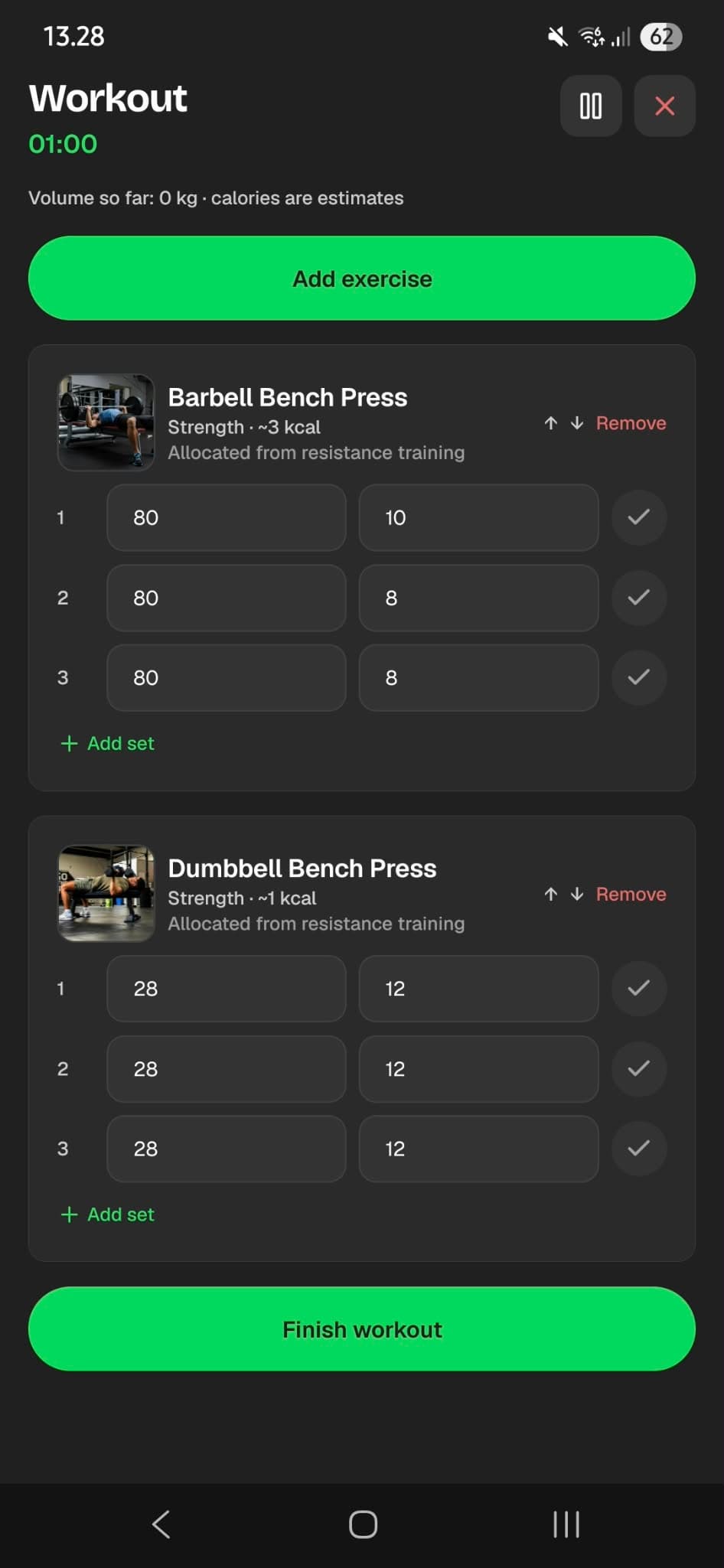
Active session logging
Track sets, rest timers, volume, and estimated calorie burn, then save finished workouts.
History
Review past sessions, open details, delete mistakes, or repeat a workout.
04
Personal goals
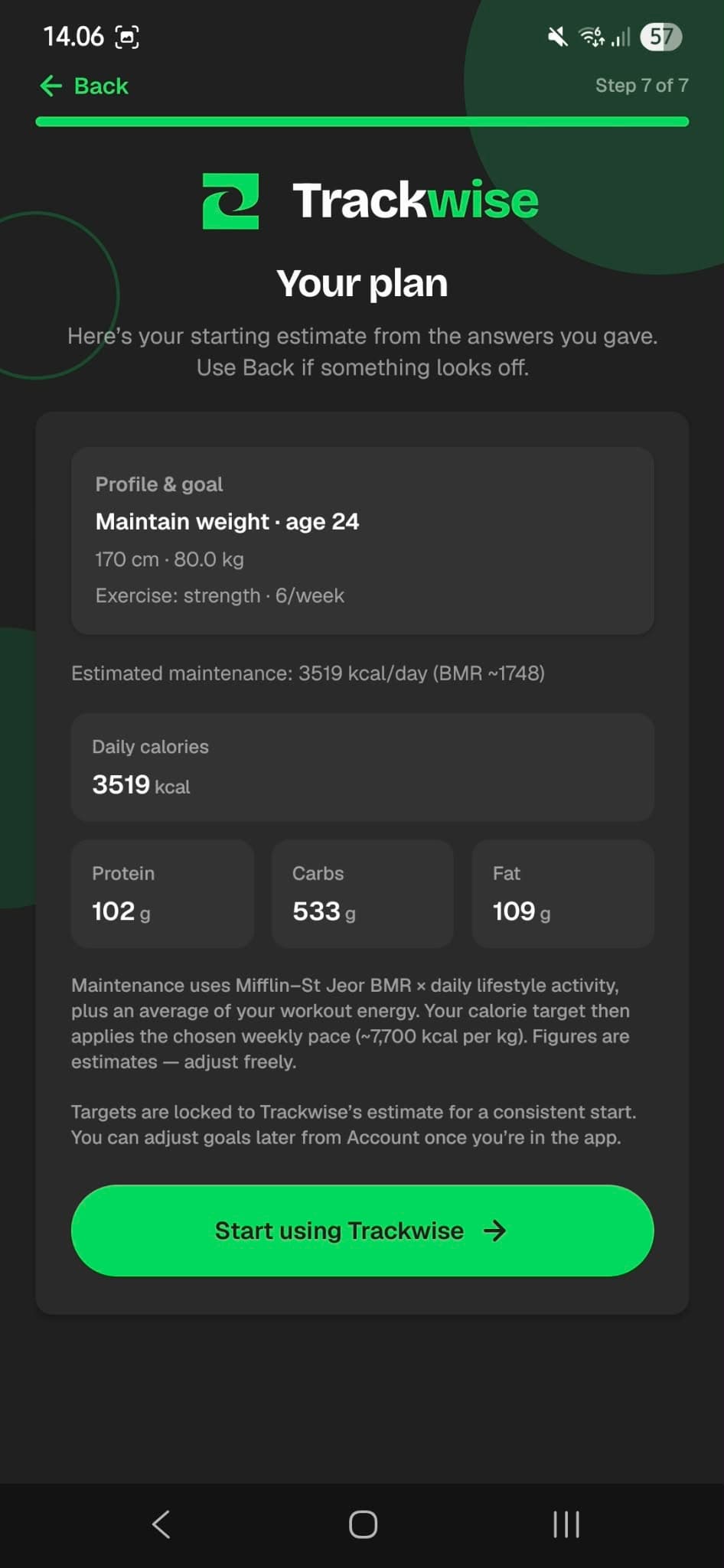
Set up lose, maintain, or gain goals with calorie and macro targets tailored during onboarding.
Guided setup
Configure goal type, body details, activity, exercise habits, target weight, and pace.
Editable targets
Adjust daily calories and protein, carbs, and fat targets anytime from Goals.
Safety-aware setup
Setup includes safety prompts (for example pregnancy or minors) that can route you to manual calorie targets.
05
Progress & measurements
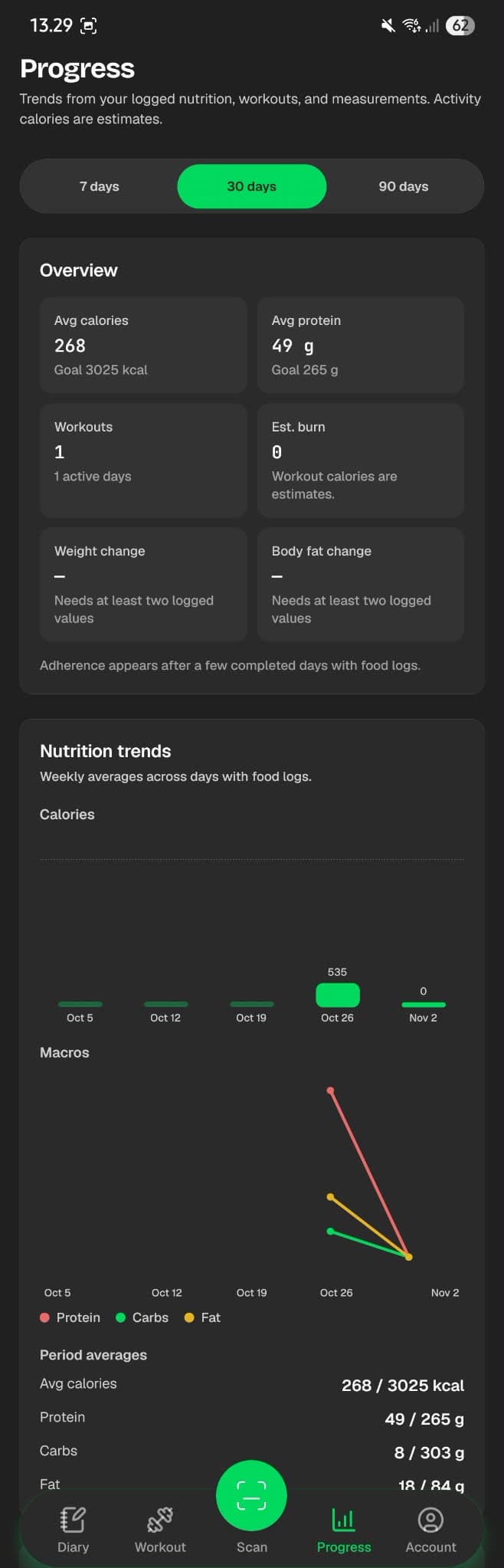
See nutrition, training, and body trends over 7, 30, or 90 days — and log the measurements that matter to you.
Progress dashboard
Average intake vs goal, workout sessions, estimated burn, and body changes in one overview.
Body measurements
Log weight, neck, waist, hip, bicep, thigh, optional body fat, and notes by date.
Derived estimates
When inputs allow, preview body composition with a US Navy method and BMI from weight and height. These remain estimates.
06
Account & control
Your data stays under your account with export, import, deletion options, and everyday preferences.
Profile and preferences
Update profile details, units (metric/imperial), appearance (light/dark), and language.
Privacy tools
Export a JSON backup, import data, delete account data, or delete your entire account.
Secure sign-in
Email and password with verification codes, optional Google sign-in, and password recovery.
Ready to try Trackwise?
Store listings are coming soon. Explore FAQ and support while you wait, or send feedback to the team.