Nutrition · Workouts · Progress

Make every step count.

Track your nutrition, workouts, and progress in one place. Build better habits and understand your journey with Trackwise.

Free on Android · iOS coming later
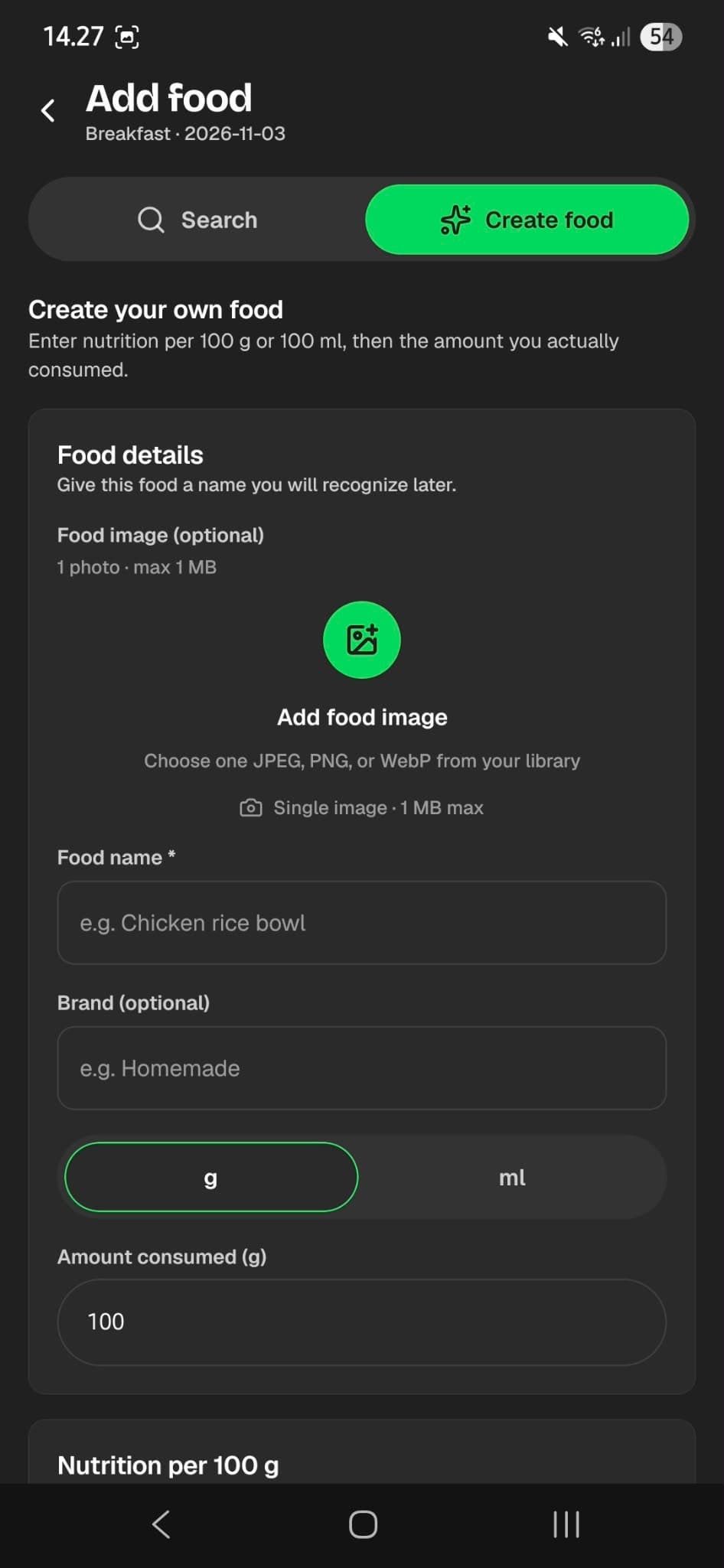
Trackwise Add food screen for creating a custom food entry
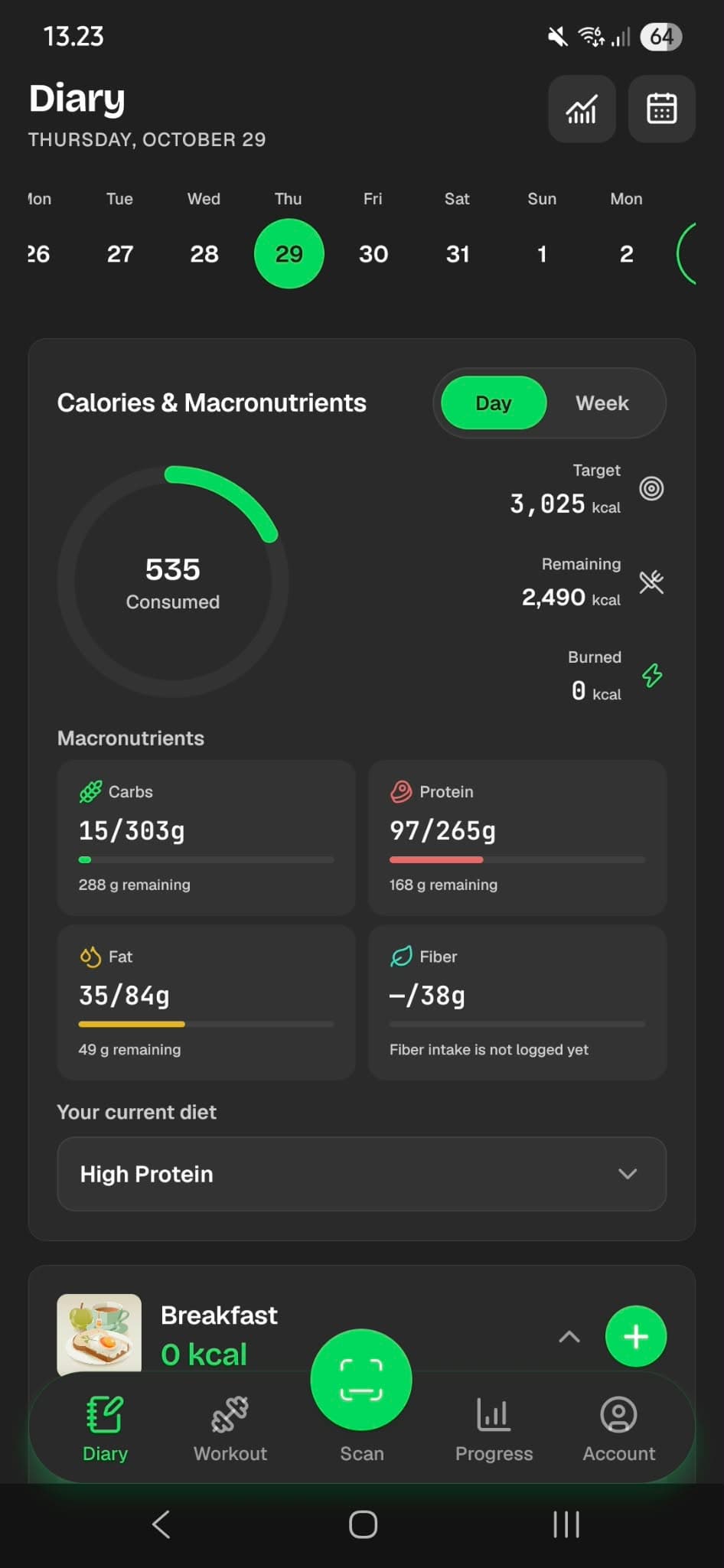
Trackwise diary screen showing daily calories and macros

What is Trackwise

One app for food, training, and the story between them.

Trackwise helps you build awareness around everyday nutrition and activity. Search or scan foods, log workouts, set goals, and watch progress accumulate — with clear estimates, not medical claims.

Nutrition tracking

Log meals, see calories and macros, and keep a clear diary of what you eat.

Workout logging

Train from the exercise library or templates and save sessions with estimated burn.

Personal goals

Set lose, maintain, or gain targets and adjust calories and macros as you go.

Progress over time

Review 7, 30, and 90-day trends for nutrition, training, and body measurements.

Features

Built around what the app already does.

Every showcase below maps to functionality shipping in Trackwise today — no invented AI or unpaid store promises.

Full feature list

Food & nutrition

A diary that balances meals, macros, and your day.

Trackwise diary screen showing daily calories and macros
Daily diary

Food scanning

Scan a barcode. Confirm. Log it.

The Scan tab uses your camera for product barcodes (EAN/UPC). Trackwise looks up products via Open Food Facts, then you confirm serving, meal, and date. No AI meal recognition or label OCR — honest barcode lookup.

Scan

Barcode

Looking up…

Oat milk

Open Food Facts · confirm to log
EAN-13
Barcode scan
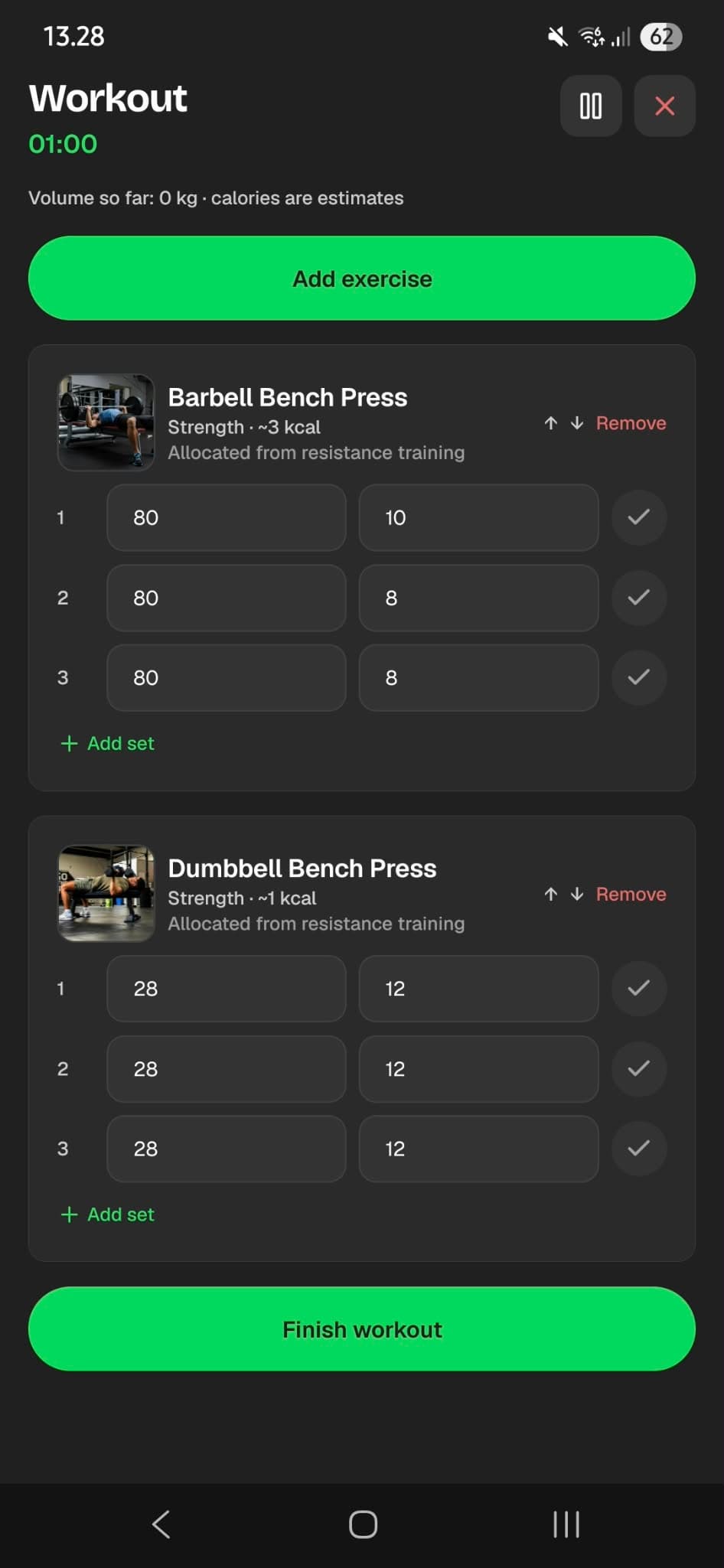
Trackwise active workout with exercises and sets
Workout tracking

Workout tracking

Library, templates, and sessions you can finish.

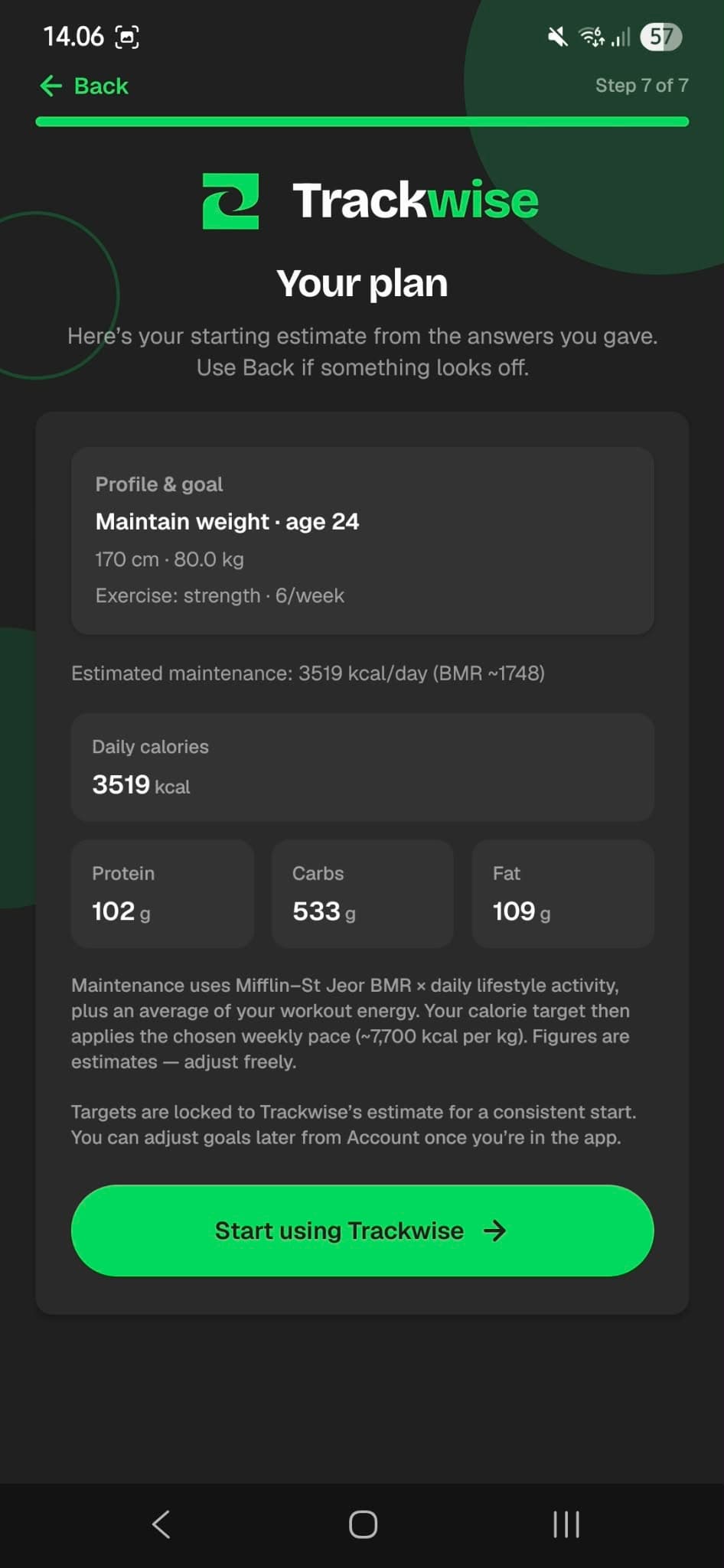
Trackwise setup summary with calorie and macro plan

Personal goals

Lose, maintain, or gain — with editable targets.

Guided setup collects goal type, body details, and activity. Adjust daily calories and macros whenever your plan changes.
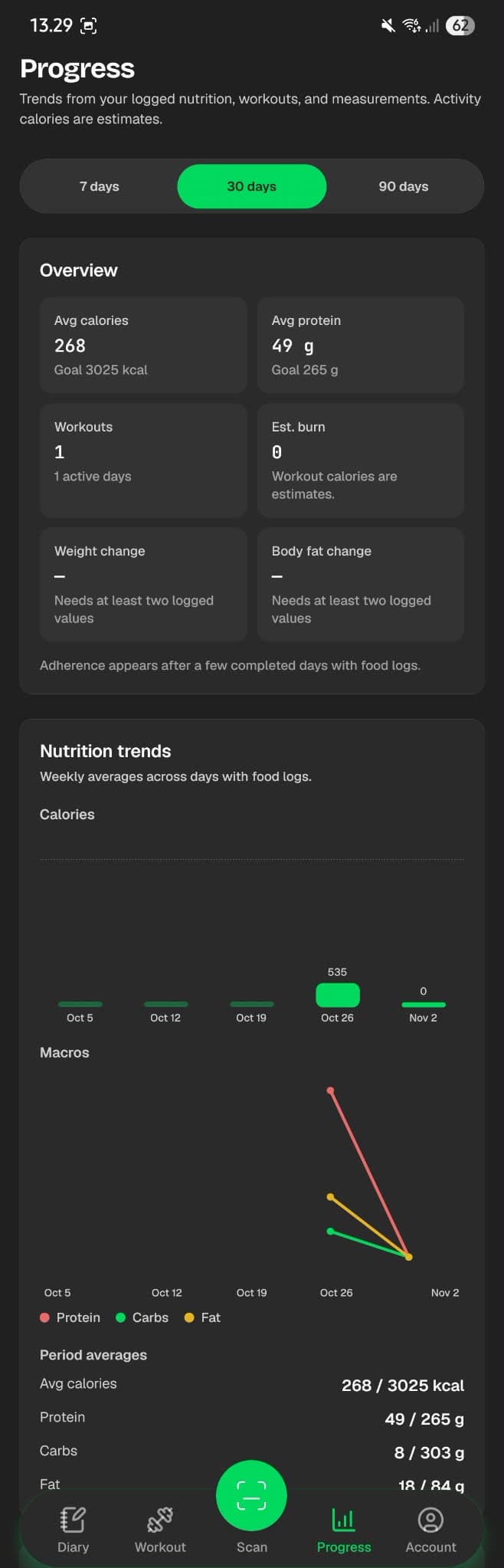
Trackwise progress dashboard with nutrition and workout trends

Progress

Trends for intake, training, and body.

Progress covers 7, 30, and 90 days. Measurements include weight and circumferences, with BMI and composition previews when inputs allow — clearly marked as estimates.

How it works

Three steps from setup to insight.

Trackwise follows the same path as the mobile app: finish setup, track consistently, then review what changed.

  1. 01

    Set up your personal goals

    Create an account and complete setup: goal type, body details, activity, and targets. Trackwise estimates a starting calorie and macro plan you can edit.

  2. 02

    Track your food and workouts

    Log meals from search, recent foods, custom entries, or barcode scan. Train with the library or templates and save finished sessions.

  3. 03

    Understand your progress

    Check daily diary balance, diary statistics, and Progress trends for nutrition, workouts, and body measurements over 7, 30, or 90 days.

App showcase

See what Trackwise looks like.

Real screens from the mobile app — diary, scan, workouts, and progress — in consistent device frames.

Trackwise diary screen showing daily calories and macros
Daily diary

Scan

Barcode

Looking up…

Oat milk

Open Food Facts · confirm to log

EAN-13
Barcode scan
Trackwise active workout with exercises and sets
Workout tracking
Trackwise progress dashboard with nutrition and workout trends
Progress trends

FAQ

Answers before you download.

Straight answers based on what Trackwise supports today. Need more detail? Visit the Support Center.

What is Trackwise?
Trackwise is a mobile app for everyday nutrition and fitness tracking. Log meals, scan barcodes, track workouts, set personal goals, and review progress over time — all in one place.
Is Trackwise free?
Yes. Trackwise is free for everyday calorie, macro, meal, and workout tracking. There is no paid plan required right now.
Is Trackwise available on Android?
Yes. Trackwise ships for Android first. The Google Play listing will appear on this site as soon as it is published.
Is Trackwise available on iOS?
Not yet. iOS is planned for later — there is no App Store build today. Android is the supported platform for now.
Can I track calories and macros?
Yes. Trackwise logs calories, protein, carbohydrates, and fat for each food entry and shows daily totals against your personal targets.
Can I log workouts?
Yes. Browse the exercise library, start quick workouts or templates, log sets, and review workout history with estimated calorie burn.
Can I set personal goals?
Yes. During setup you choose lose, maintain, or gain weight goals. You can adjust daily calorie and macro targets anytime from Goals in the app.
Can I track body measurements?
Yes. Log weight and body circumferences (such as waist, hip, and others), review BMI when height is available, and see trends on the Progress tab.
How can I delete my account?
In the Trackwise app, open Account → Privacy & data → Delete account, then confirm. This permanently removes your account and associated data via the app’s deletion flow. You can also delete account data while keeping your login, or export a backup first. Full steps and email requests: trackwise.one/delete-account.
Is Trackwise a medical application?
No. Trackwise provides everyday nutrition and activity tracking estimates. These estimates are not medical measurements and are not medical advice. Talk to a qualified professional for health decisions.

Download

Get Trackwise on your phone.

Trackwise is free on Android. The Google Play listing is coming soon on this page. iOS will follow later — not available yet.

Status: Free on Android · iOS later
Android · FreeGoogle PlayiOS · Coming laterApp Store

QR placeholder

Scan-to-download will appear here once the Android store page is published. (trackwise.one)